Quick Answer
Your website is usually not ranking on Google because of one or more of these issues: it isn’t indexed, it has technical or speed problems, its content doesn’t match search intent, it lacks authority (backlinks and E-E-A-T), or it isn’t structured in a way that search engines and AI answer engines can understand and quote. Fix indexing and technical health first, then improve content quality, authority, and answer-ready structure.
Introduction
You launched your website, published pages, maybe even spent on design and ads, yet Google is sending almost no traffic. It’s frustrating, and it’s more common than you’d think.
Search has also changed. Ranking in the classic ten blue links is no longer the only goal. Today people get answers directly from Google AI Overviews, ChatGPT, Perplexity, Gemini, and Copilot. That means modern SEO has three layers:
- SEO (Search Engine Optimization): getting your pages crawled, indexed, and ranked.
- AEO (Answer Engine Optimization): structuring content so it can be pulled as a direct answer, such as featured snippets, People Also Ask, and voice results.
- GEO (Generative Engine Optimization): making your brand and content easy for generative AI tools to understand, trust, and cite.
Below are 15 reasons your site may not be ranking, with what to check and how to fix each one. The last few cover AEO and GEO specifically.
1. Your Pages Aren’t Indexed by Google
If Google hasn’t indexed a page, it cannot rank. This is the most overlooked problem on new sites.
How to check: Search site:yourdomain.com on Google, or open the Pages report in Google Search Console and look at “Not indexed” reasons.
How to fix it:
- Submit an XML sitemap in Google Search Console.
- Use the URL Inspection tool and request indexing for key pages.
- Link to new pages from existing, already-indexed pages.
- Fix statuses such as “Crawled, currently not indexed” by improving content quality and internal links.
2. Robots.txt or Noindex Tags Are Blocking You
A stray noindex tag or a Disallow: / rule in robots.txt can quietly hide your whole site. This often happens when a developer leaves “discourage search engines” enabled after a staging phase.
How to fix it: Check your robots.txt file, review the meta robots tag on important pages, and in WordPress confirm that Settings > Reading > “Discourage search engines from indexing this site” is unchecked.
3. Your Site Is Slow (Poor Core Web Vitals)
Page experience is a ranking signal, and a slow site also loses visitors before they read a word. Google measures Core Web Vitals: loading speed (LCP), responsiveness (INP), and visual stability (CLS).
How to fix it:
- Compress and lazy-load images, and use modern formats like WebP or AVIF.
- Use caching and a CDN.
- Remove unused plugins, scripts, and heavy sliders.
- Test with PageSpeed Insights and the Core Web Vitals report in Search Console.
4. Your Website Isn’t Mobile-Friendly
Google uses mobile-first indexing, so it primarily evaluates the mobile version of your site. Tiny text, overlapping buttons, hidden content, or a different mobile layout can all hurt rankings.
How to fix it: Use a responsive design, make sure mobile and desktop content match, and test real pages on real phones.
5. Your Content Doesn’t Match Search Intent
You can write a great page and still not rank if it answers the wrong question. If people searching “best CRM for small business” expect a comparison list and you publish a product sales page, Google will favor pages that fit the intent.
How to fix it: Search your target keyword, study what already ranks (guides, lists, tools, product pages), and match that format while adding something better: more depth, original data, clearer structure, or a stronger example.
6. Thin, Duplicate, or Low-Value Content
Short, generic, copied, or mass-produced content rarely ranks. Google’s helpful content systems reward pages created to help people, not pages created to catch search traffic.
How to fix it:
- Expand thin pages with real expertise, examples, and visuals.
- Merge near-duplicate pages into one strong page.
- Add canonical tags where duplicates are unavoidable.
- If you use AI to draft, edit it heavily and add first-hand experience and facts you can stand behind.
7. Weak Keyword Targeting or Keyword Cannibalization
Targeting keywords that are too competitive (for example, “digital marketing”) when your site is new makes ranking very hard. The opposite problem is cannibalization, where several of your pages compete for the same keyword and none wins.
How to fix it: Target long-tail, specific queries first (“SEO services for dental clinics in Pune”), assign one primary keyword per page, and consolidate pages that overlap.
8. Low E-E-A-T: Experience, Expertise, Authoritativeness, Trust
Google wants to see that a real, credible source is behind the content, especially on topics that affect health, money, or safety.
How to fix it:
- Add author bios with real credentials and links to profiles.
- Publish an About page, contact details, and clear policies.
- Show case studies, testimonials, certifications, and original examples.
- Cite reliable sources, and keep claims accurate.
9. Not Enough Quality Backlinks
Backlinks from relevant, trusted websites remain a strong authority signal. If competitors have far more quality mentions than you, they will usually outrank you.
How to fix it:
- Create link-worthy assets: original research, free tools, templates, and in-depth guides.
- Pursue guest posts and digital PR on relevant sites.
- Get listed in genuine industry directories and partner pages.
- Avoid buying links or using link schemes, which can trigger penalties.
10. Poor Internal Linking and Site Structure
If your important pages are buried deep or have no internal links pointing to them, Google may crawl them rarely and treat them as unimportant.
How to fix it: Build topic clusters (one pillar page supported by related articles), use descriptive anchor text, keep key pages within about three clicks of the homepage, and fix orphan pages.
11. Technical Errors and Penalties
Broken links, redirect chains, wrong canonical tags, duplicate title tags, HTTP instead of HTTPS, and server errors all waste crawl budget and confuse Google. In rarer cases, a manual action for spam or unnatural links can suppress your site.
How to fix it: Run a technical audit with Search Console and a crawler such as Screaming Frog, fix 404s and redirect chains, use HTTPS everywhere, and check the Manual Actions report.
12. Your Content Is Outdated
Pages with old statistics, dead links, and last year’s advice lose ground to fresher, more accurate competitors, and AI tools also prefer current information.
How to fix it: Audit your top pages every 6 to 12 months, update facts and examples, add a visible “last updated” date, and republish meaningful improvements rather than changing a date alone.
13. Missing Structured Data (Schema Markup) and Entity Clarity (AEO + GEO)
Schema markup is code that tells search engines and AI systems exactly what your page and your business are. Without it, you’re relying on machines to guess.
How to fix it:
- Add Organization schema with your name, logo, and social profiles, and keep your brand name, address, and details consistent everywhere.
- Use Article, FAQPage, HowTo, Product, LocalBusiness, and Person (author) schema where they genuinely apply.
- Validate with Google’s Rich Results Test and the Schema Markup Validator.
- Make sure your brand is clearly defined as an entity across your website, Google Business Profile, LinkedIn, and other trusted profiles.
Note that Google has reduced where it shows FAQ rich results, but clean schema and consistent entity information still help machines understand your content.
14. Your Content Isn’t Answer-Ready (AEO)
Answer engines look for clear, direct, well-structured answers. If your page buries the answer under long introductions, it’s less likely to be picked for featured snippets, People Also Ask, voice assistants, or AI Overviews.
How to fix it, the AEO checklist:
- Lead with the answer. Put a 40 to 60 word direct answer right under each question-style heading, then expand.
- Use question-based headings such as “How long does SEO take?” that mirror how people actually search and speak.
- Format for scanning. Use short paragraphs, numbered steps, bullet lists, and comparison tables.
- Add an FAQ section that answers real customer questions in plain language.
- Mine real questions from People Also Ask, AnswerThePublic, your sales calls, and customer support chats.
- Write conversationally so your answers work for voice search and assistants.
15. You’re Invisible to AI Engines (GEO)
Generative engines like ChatGPT, Gemini, Perplexity, Copilot, and Google AI Overviews don’t just rank pages. They synthesize answers and cite sources they trust. If your brand is rarely mentioned or your content is hard to extract, you won’t be cited, even if you rank decently.
How to fix it, the GEO checklist:
- Build brand mentions and authority. Get cited and mentioned on reputable sites, industry publications, podcasts, review platforms, and communities where your audience is active.
- Publish original value. Original data, surveys, expert quotes, and unique frameworks give AI something worth citing. Specific, verifiable facts with named sources beat vague claims.
- Make content easy to extract. Use clear headings, self-contained paragraphs, definitions, and summaries that make sense even when lifted out of context.
- Demonstrate real expertise. Name your authors, show credentials, and back statements with reliable references.
- Allow AI crawlers if you want visibility. Review your robots.txt to make sure you aren’t unintentionally blocking AI search crawlers, and decide deliberately which bots to allow.
- Keep information consistent across your website, Google Business Profile, LinkedIn, directories, and review sites so AI systems see one clear picture of who you are.
- Cover topics in depth. Topic clusters that answer a subject’s related questions signal that you’re a dependable source.
- Monitor your presence. Periodically ask AI tools questions your customers would ask and note whether your brand appears and what is said about it.
Quick Diagnostic Checklist
| Area | Question to ask |
| Indexing | Are my key pages indexed in Search Console? |
| Technical | Is my site fast, secure, and mobile-friendly? |
| Content | Does each page match search intent and add real value? |
| Authority | Do I have relevant, quality backlinks and clear E-E-A-T? |
| Structure | Is internal linking logical and schema in place? |
| AEO | Do my pages give direct, scannable answers? |
| GEO | Is my brand mentioned and cited across the web and AI tools? |
A Simple 30-Day Action Plan
Week 1: Foundation. Confirm indexing, fix robots.txt and noindex issues, submit your sitemap, and resolve major technical errors.
Week 2: Experience. Improve speed and mobile usability, and clean up broken links and duplicate pages.
Week 3: Content and AEO. Rewrite your top pages to match intent, add direct answers, question headings, and FAQs, and implement schema.
Week 4: Authority and GEO. Update outdated content, start link and PR outreach, publish one piece of original research or a strong case study, and unify your brand profiles.
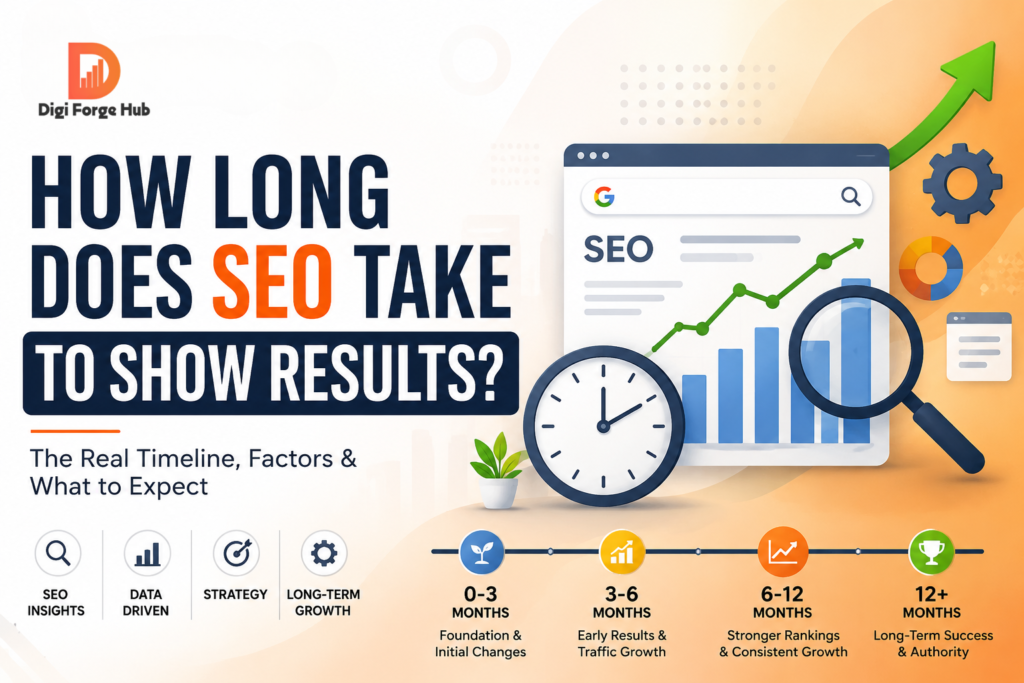
Remember that SEO takes time. New sites commonly need several months to see steady results, so track progress with Search Console and be patient.
Frequently Asked Questions
1) How long does it take for a website to rank on Google? It varies by competition, site authority, and content quality, but most new websites need roughly three to six months to see meaningful movement, and competitive keywords can take longer.
2) Why is my website indexed but still not ranking? Indexing only means Google knows the page exists. Ranking depends on relevance, content quality, authority, and user experience, so look at intent match, backlinks, and competitor strength.
3) What is the difference between AEO and GEO? AEO focuses on earning direct answers in places like featured snippets, People Also Ask, and voice search. GEO focuses on getting your brand and content cited inside AI-generated answers from tools like ChatGPT, Gemini, and Perplexity.
4) Does ranking well on Google help me appear in AI answers? Often yes, because many AI tools draw on search results, but it isn’t guaranteed. Clear structure, authority, and brand mentions also influence whether you’re cited.
5) Do I still need traditional SEO if I do AEO and GEO? Yes. Crawlability, indexing, speed, quality content, and authority are the foundation that AEO and GEO build on.
6) Can I pay Google to rank higher organically? No. Paid ads can give you visibility, but organic rankings can’t be bought. They come from relevance, quality, and authority.
Conclusion
If your website isn’t ranking, the cause is rarely a single mistake. It’s usually a stack of small issues across indexing, technical health, content, authority, and structure. Start by making sure Google can find and index your pages, then make your content genuinely helpful, and finally shape it so both search engines and AI answer engines can understand, trust, and quote you.
The brands that win in this new era are the ones that are clear, credible, and consistently present, whether the answer appears in a Google result or inside an AI chat.
Need help finding exactly what’s holding your site back? Get a professional SEO, AEO, and GEO audit and turn these 15 checks into a clear action plan.